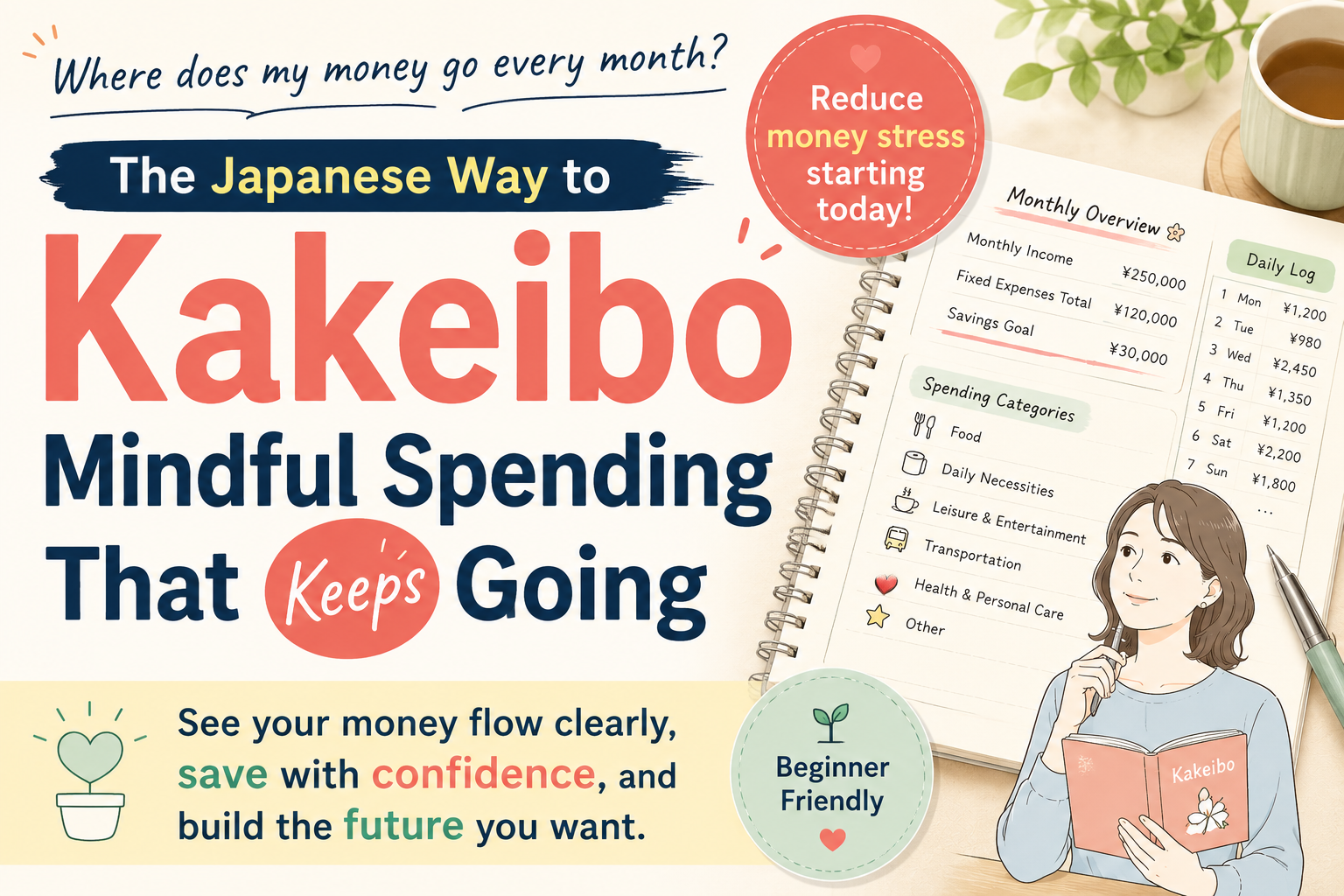
As smartphones have become widespread, the way we manage money has changed dramatically. Have you ever thought about keeping a household budget?
At the same time, many people struggle with the fact that handwritten household accounts are difficult to maintain.
That is why household budgeting apps are attracting attention. These tools can automatically record expenses by linking with bank accounts and credit cards, or complete data entry simply by scanning a receipt.
Thanks to these features, they are far easier to continue using than a handwritten ledger. This article explains the basics of household budgeting apps, how to choose one, specific beginner-friendly options, and practical ways to use them to build savings.
It is intended as a guide for anyone who is unsure which app to choose or wants to start managing household finances.
- What Is a Household Budgeting App, and Why Is It Needed Now?
- Three Points to Check When Choosing a Household Budgeting App
- Seven Free Household Budgeting Apps for Beginners and How to Choose
- Four Practical Ways to Keep Using a Household Budgeting App
- Common Questions About Choosing a Household Budgeting App
- From a Budgeting App to Savings: The Next Step
What Is a Household Budgeting App, and Why Is It Needed Now?
The term “household budgeting app” covers more than many people assume. At its most basic, it refers to a tool for recording and managing monthly income and expenses on a smartphone. Modern apps, however, have evolved far beyond simple expense tracking.
Earlier budgeting apps mainly required users to enter food, utilities, and other expenses manually. Compared with a paper ledger, the improvement was largely limited to digitization. Today, however, many apps offer two major features.
The first is automatic integration with bank accounts and credit cards. Once connected, credit-card payments and bank transfers can be recorded automatically without any action on your part.
This greatly reduces the burden of manual entry. The second feature is automatic receipt scanning.
For example, when you photograph a receipt with your smartphone camera, AI can extract the amount and purchased items, eliminating the need to type them in manually.
These functions have transformed household accounting into something people can realistically maintain. Many users say they continue precisely because data entry is easy. People naturally struggle to sustain tasks that require too much effort. By removing that barrier through technology, budgeting can become a habit.
Another important feature found in some modern apps is asset management. These apps can display bank accounts, credit cards, investment funds, and even accounts connected to systems such as NISA and iDeCo in one place. In other words, a household budgeting app can show not only where your money is being spent but also how your total assets are changing.
As prices continue to rise, many people worry that they may be spending too much. The spread of cashless payments has also made it harder to feel how much money has actually been used. A household budgeting app is a powerful way to make spending visible. This is why household budgeting apps are increasingly necessary today.
Three Points to Check When Choosing a Household Budgeting App
What should you use as your standard when selecting an app? There are many household budgeting apps, and no single one is ideal for everyone. The best choice depends heavily on your lifestyle and your concerns. The following three points provide a practical basis for comparison.
The first point is the difference in input methods. Broadly speaking, there are three types.
The first is manual entry. You enter food, utilities, and other expenses yourself. It may seem old-fashioned, but deciding which category each purchase belongs to can increase your awareness of money.
This method is also suitable for people who are uncomfortable connecting bank accounts or cards for security reasons. The drawback is that entering every transaction takes time.
The second is receipt scanning. You photograph a receipt with your smartphone and the app reads it automatically. This is especially useful for people who pay mainly in cash, because cash transactions cannot be captured through bank-account integration. It is easier than manual entry and highly convenient for cash users.
The third is automatic integration. The app synchronizes with bank accounts and credit cards and records expenses automatically. This method is recommended for people who mainly use cashless payments. In many cases, more than 90 percent of credit-card purchases can be recorded automatically, reducing the burden almost to zero.
The second point is to check the limits of the free plan. Many apps offer free versions, but the restrictions vary widely. One app may limit users to three linked bank accounts, while another may allow unlimited links but only show the past three months of data. Which option is easier to use depends on your financial setup.
The reason this matters is that continuity is the most important part of household finance management. If the free-plan restrictions become stressful, you are likely to use the app less often and eventually stop. Do not ask only whether the free version is enough. Ask whether you can continue using it comfortably for free.
The third point is security. It is natural to feel uneasy about entrusting an app with bank and credit-card information. There are two main points to verify.
First, check whether the app uses API-based integration. With this method, the app does not receive your password. Instead, authorization is granted directly by the bank or card company.
This means that even if the app is attacked, the risk of your login credentials being exposed is lower. Second, check whether two-factor authentication is supported.
With two-factor authentication, logging in requires not only a password but also an additional step, such as entering a code sent to your smartphone. Apps that support such measures demonstrate a stronger commitment to security.
If you still feel uncomfortable registering a bank account, there is no need to force yourself. You can begin with manual entry or receipt scanning, build confidence over time, and switch to automatic integration later. What matters most is continuing.
Seven Free Household Budgeting Apps for Beginners and How to Choose
Let us compare specific apps. The following seven options provide useful features on their free plans and are relatively easy for beginners to start using. Choose the one that best matches your lifestyle and priorities.
Money Forward ME is one of the largest apps in the market, with more than 17 million users. Its strength is the ability to manage bank accounts, credit cards, investment funds, and NISA accounts in one place. The free plan also allows users to connect multiple financial institutions. Because it is operated by a major company, it is widely trusted for security. It is especially suitable for people who want a complete view of their assets.
Kufu Zaim stands out for the range of functions available on its free plan. It supports unlimited bank-account and credit-card connections, includes receipt scanning, and allows household information to be shared with family members. It is suitable for couples who want to manage finances together and for cautious users who want to test an app thoroughly before paying for a premium plan.
Rakuten Link is optimized for users of Rakuten services. It integrates smoothly with Rakuten Bank and Rakuten Card and works with the Rakuten points ecosystem. Existing Rakuten users can start tracking expenses with minimal setup. For people outside the Rakuten ecosystem, however, other apps may be more flexible.
OsidOri is designed specifically for couples. Both partners can enter expenses, and entries can be shared immediately. It also allows shared household spending and personal spending to be managed separately. It is particularly useful for couples who want greater transparency and smoother conversations about money.
Simple Household Budget MoneyNote focuses on simplicity. It does not include bank or card integration and is dedicated to manual expense tracking. This minimizes security concerns, and personal financial data is not stored on an external server. The design is also straightforward enough for people who are not comfortable with smartphones.
Moneytree balances a clear interface with automatic integration. Expenses can be recorded almost entirely automatically through linked bank accounts and credit cards. At the same time, the screen avoids unnecessary information and makes it easy to understand the most important figure: how much has been spent this month. It is well suited to users who want simple but convenient automation.
OkaneReco is built around speed, as reflected in its “two-second household budget” concept. You can record an expense by tapping the amount and category, with little additional operation required. It has one of the lowest barriers for complete beginners who know budgeting is important but want to avoid complicated controls. It does not offer automatic integration, so manual entry or receipt scanning is still necessary.
To summarize the selection criteria: choose Money Forward ME if you want to manage total assets or use several financial institutions; Kufu Zaim if you want to maximize free features; Rakuten Link if you are deeply invested in the Rakuten ecosystem; OsidOri if joint household management is the priority; MoneyNote if security and simplicity matter most; Moneytree if you want easy automatic integration; and OkaneReco if you want the quickest possible start.
Four Practical Ways to Keep Using a Household Budgeting App
Choosing an app and using it to increase savings are two very different things. An app has no value if it is installed but not used. The key is to create conditions that make continued use easy.
Simply recording expenses does not increase savings. Recording only shows the current situation. Nothing changes unless the information leads to action. The following four practices turn a budgeting app into a system that supports saving.
The first is to spend the first month recording without trying to change your behavior. At the recording stage, do not immediately correct every expense. Many people start an app, judge certain purchases as wasteful, and try to cut spending from the first day. That usually does not last because behavioral change works in stages.
The first stage is understanding the current situation. Record your actual spending for one month. You may discover that you spend a certain amount on eating out or that clothing purchases are higher than you realized. Those discoveries become the basis for later improvement.
The second is to set a monthly budget for each category. After collecting one month of data, set limits for food, transportation, entertainment, and other categories. Do not impose an unrealistic budget immediately. A reduction of around 10 to 20 percent from the previous month is usually more sustainable.
The purpose of a budget is also to encourage continued tracking. When the app shows that only a certain amount remains for food that month, you become more conscious of each purchase. That awareness naturally reduces unnecessary spending.
The third is to use debit cards or cashback programs. This changes the structure of spending itself. With a debit card, money is taken directly from the bank account, so the balance visibly falls. That immediate sense of reduction can increase spending awareness.
With a credit card, cashback can reduce the effective cost of purchases. Improving the efficiency of the payment method itself can therefore contribute to higher savings.
The fourth is to create an automatic pay-yourself-first savings system. The most important factor in saving is not willpower but structure. Many people plan to save whatever remains at the end of the month, but that often fails because spending tends to expand unconsciously.
A more effective method is to transfer the savings amount to a separate account on payday. Save first, then live on what remains.
This allows savings to accumulate reliably. The account used for savings should ideally offer a higher interest rate.
For example, depositing one million yen for one year at an annual rate of 0.7 percent would generate 7,000 yen in interest before fees and taxes.
Common Questions About Choosing a Household Budgeting App
Even after reading this far, you may still have concerns about using an app. Many beginners share the same questions. The following section addresses three of the most common ones.
“Is it dangerous to register my bank account with an app?” This is the most common concern. The anxiety is understandable, but major household budgeting apps generally use advanced security measures.
One example is API-based connection. The app does not receive your password. Instead, the bank or card company authorizes the connection directly.
Because the app does not store your actual login credentials, the structure reduces the risk of account information being exposed even if the app is attacked. Major services may also operate under financial regulations and undergo security reviews.
In practice, they are often safer than many users assume.
Even so, check whether two-factor authentication is available. This adds another layer of protection and further reduces the risk of unauthorized access.
“Is the free plan enough, or will I eventually need the paid version?” The honest answer is that it depends on the user. A free plan may be sufficient if you have one salary account and one credit card. In that case, the free versions of Money Forward ME or Kufu Zaim may provide everything you need.
Users who want to manage several bank accounts, several credit cards, and investment funds may find a paid plan more convenient. The important point is that you can upgrade at any time.
Start with the free version, identify what is missing, and move to a paid plan only when necessary. This gradual approach makes it easier to understand which features you truly need.
“Can I use it on a computer?” Many major apps provide either a web version or a desktop-compatible service. Money Forward ME, Kufu Zaim, and Moneytree, for example, can be accessed from a work or home computer.
This is convenient when you want to review expenses entered on a smartphone or study detailed reports on a larger screen. Annual reviews and detailed analysis are often easier on a computer than on a small smartphone display.
From a Budgeting App to Savings: The Next Step
Once you can manage expenses with an app, the next question is how to increase savings more efficiently. This is the stage where simple money management begins to develop into asset building.
Pay-yourself-first saving becomes more effective when combined with budgeting data. The app shows how much you can realistically save each month. Based on one month of records, you can calculate a sustainable amount to transfer automatically.
The next important issue is where to keep your savings. The same amount of money produces different returns depending on the interest rate. If you save 50,000 yen a month, you will accumulate 600,000 yen in one year. At 0.2 percent interest, that would produce 1,200 yen before tax. At 0.7 percent, it would produce 4,200 yen, a difference of 3,000 yen.
Many online banks offer time deposits or savings accounts with annual rates above 0.5 percent. Because they do not bear the same branch costs as traditional banks, they can sometimes offer higher rates. Connecting such a bank to your budgeting app and directing automatic savings there can improve the efficiency of your saving system.
Once expense management becomes a habit, many people naturally begin to think about investing. They may learn about programs such as NISA and iDeCo and consider preparing for the future. Apps such as Money Forward ME can also connect to investment accounts, allowing savings and investments to be viewed together.
There is no need to rush. First establish the habit of managing household finances. Then experience the benefit of earning interest in a higher-yield account, and only after that consider moving gradually into investing. This is one of the most cautious paths toward asset building.
Another option is to combine the app with a debit card. The app shows your spending, while the debit card reduces the account balance in real time. This combination strengthens awareness and creates a more robust money-management system than either tool alone.
This article has explained how to choose a household budgeting app, how to use it, and what to do next. The goal is not to be perfect immediately. Choose an app that suits you and use it for one month. The information you gain can fundamentally change your relationship with money.

コメント